logo
Search

Cryptocurrency Benefits Buying and Exchanging Transaction Fees Transaction Speed Tokens We Accept How to Deposit with Crypto How to Withdraw Winnings in Crypto Creating a Wallet on Bybit Creating a Wallet on KuCoin Creating a Wallet on Binance
Cryptocurrencies
Bitcoin
Bitcoin
Ethereum
Ethereum
Tether
Tether
Ripple
Ripple
Tron
Tron

Cryptocurrency is a digital currency that operates on blockchain technology, providing greater anonymity and security. It allows for global, near-instant transactions, often with lower fees.

Benefits

img
img
Decentralisation
Cryptocurrencies function independently of central banks and government institutions.
img
img
Safety and Security
Cryptocurrency transactions are cryptographically protected, making them highly secure and less vulnerable to fraud.
img
img
Confidentiality
Cryptocurrencies allow users to make transactions with a high degree of anonymity.
img
img
Fast and Low-Cost Transactions
Cryptocurrency transfers are processed quickly with low fees, regardless of location.
img
img
Investment Potential
Many cryptocurrencies offer strong investment potential, offering speculative growth opportunities due to price volatility.
img
img
Inflation Resistance
Cryptocurrencies are not directly tied to central bank policies, making them more resistant to inflation.

Buying and Exchanging

There are several ways to buy or swap cryptocurrencies.

The simplest and most reliable method is to use a cryptocurrency exchange.

How to Buy Cryptocurrency:

1. Choose an Exchange

Create an account on a trusted platform such as Binance, Bybit, or KuCoin, which support a wide range of currencies.

2. Sign up

Register and complete identity verification if required.

3. Deposit Funds

Fund your account via bank transfer, credit/debit card, e-wallet, P2P trading, or other payment methods supported by the exchange.

4. Select a Cryptocurrency

Choose the token you want to buy.

5. Make a purchase

Follow the platform’s instructions to complete your transaction.

Note: The exact process may vary by platform. Be sure to understand the fees, security features, and platform rules before proceeding.

Transaction Fees

Cryptocurrency transaction fees depend on several factors, including the chosen token, transaction amount, platform type (exchange, wallet, etc.), and the level of blockchain network congestion.

Fees may be fixed or percentage-based and are typically paid in the blockchain’s native cryptocurrency (e.g., BTC, ETH), though some platforms may charge fees in fiat currency (e.g., USD, EUR).

Transaction Speed

On average, cryptocurrency transactions are processed within minutes, though in some cases they may take several hours.

Processing time depends on factors such as the specific cryptocurrency, network congestion, and the transaction fee you set. Increasing the fee often results in faster confirmation.

For consistently faster processing, choose tokens designed for high transaction speed. For example, the average confirmation time on the Ripple network is only a few seconds.

Tokens We Accept

You can currently top up your balance on our website using ETH (Ethereum), USDT-ERC20 (Tether), USDT-TRC20 (Tether), TRX (TRON), DOGE (Dogecoin), BTC (Bitcoin), BCH (Bitcoin Cash), LTC (Litecoin), and XRP (Ripple).

How to Deposit with Crypto
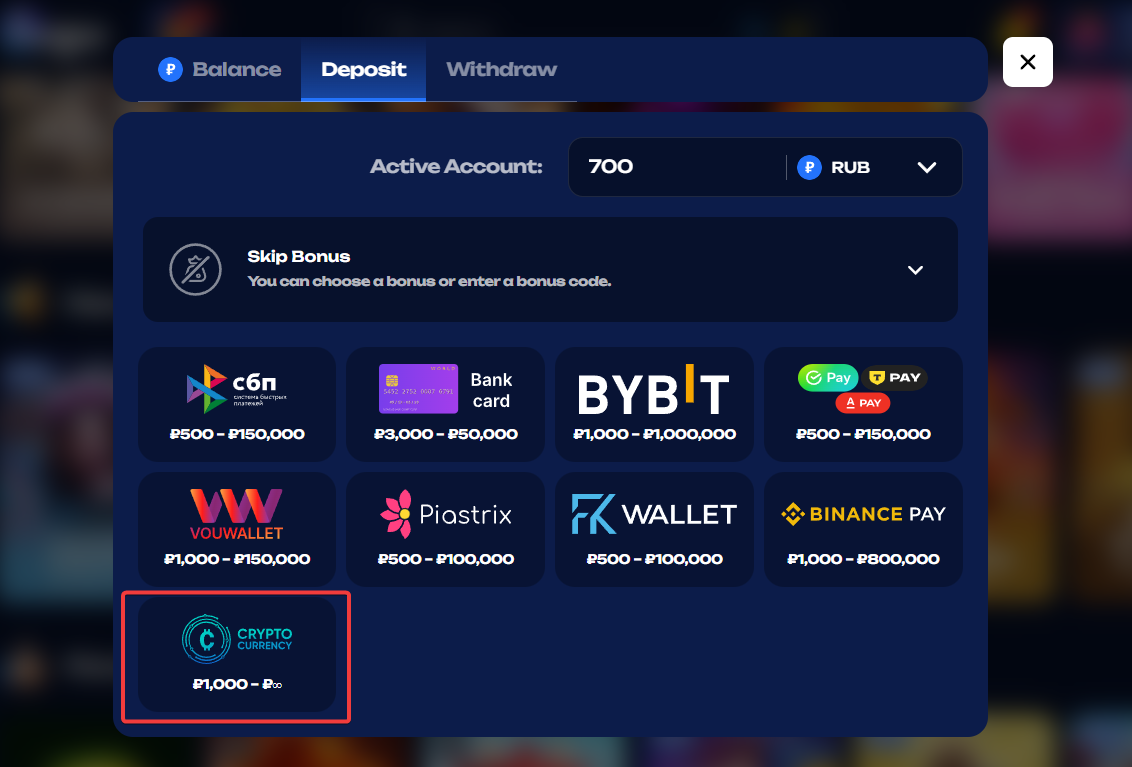
Step 1
Go to the “Deposit” section, select the cryptocurrency option, and choose your preferred token.
img
Step 2
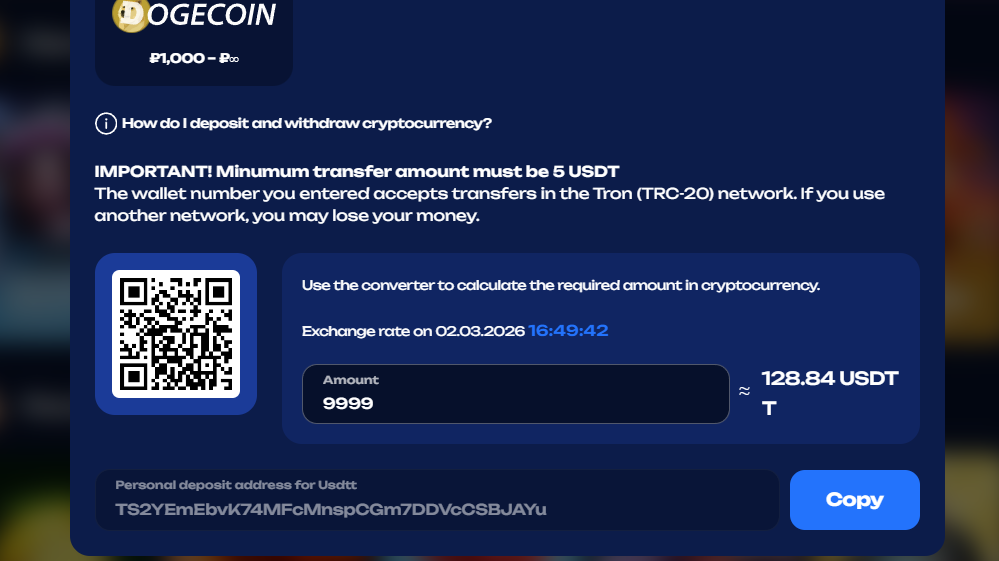
Use the cryptocurrency converter to enter the amount you want to deposit in fiat. The system will instantly display the equivalent amount in your selected cryptocurrency.
Note: The exchange rate updates every few minutes.
img
Step 3
Initiate the transaction using one of the following methods:

• QR Code – If you’re depositing from a computer, open your exchange account or wallet app on your phone, scan the QR code displayed on the screen, and send the required amount. (If you’re depositing from a phone, use the wallet address method instead.)

• Wallet Address – Copy the wallet address shown in the “Deposit” section and paste it into your exchange or wallet app to transfer the required amount.

Important: Always double-check the wallet address before each new deposit, as it may change!!

How to Withdraw Winnings in Crypto

1. Go to the “Withdraw” section, select the cryptocurrency option, and choose your preferred token.

2. Enter the payout amount and your crypto wallet address.

Transactions are usually processed quickly, as we apply the highest available network fee.

Important: Each token may support multiple networks (e.g., ERC-20, TRC-20), and the network you select must match your wallet. Always double-check both the wallet address and network before confirming a withdrawal. Transactions cannot be cancelled or reversed if sent to the wrong address or network.

Creating a Wallet on Bybit

Step 1
Follow the registration link.
img
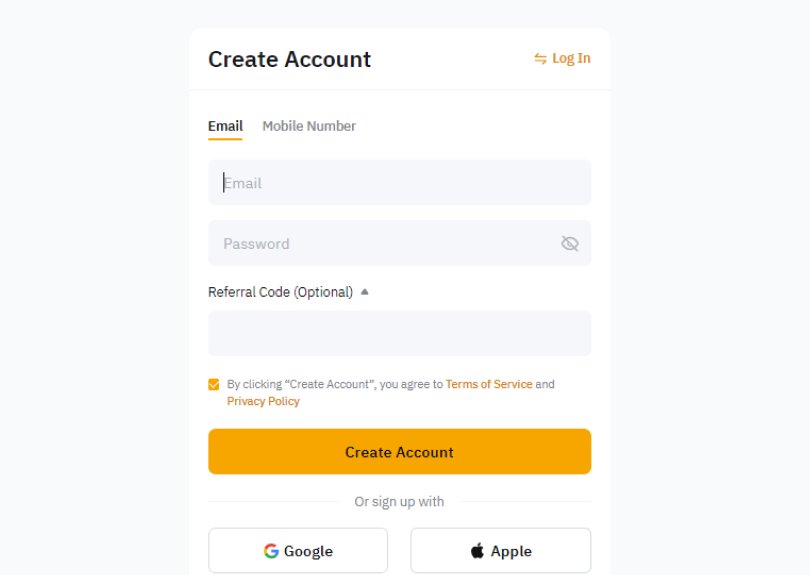
Step 2
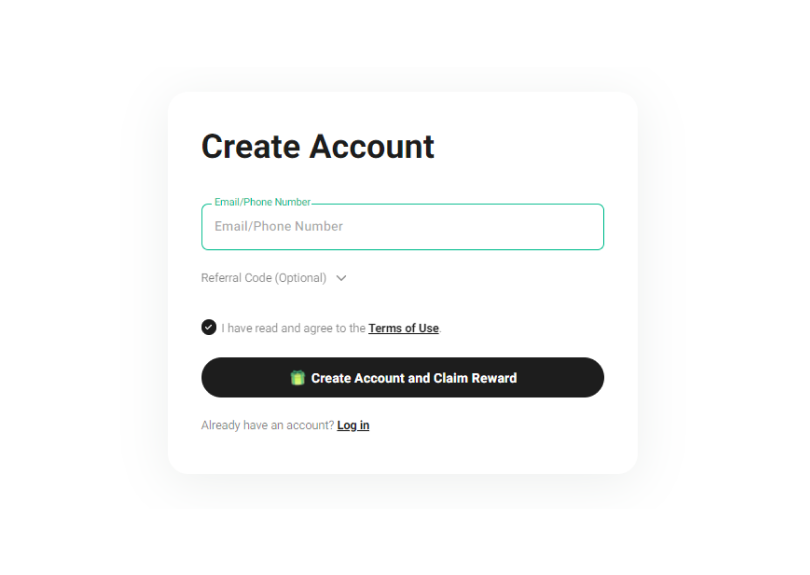
Register using your email or phone number.
img
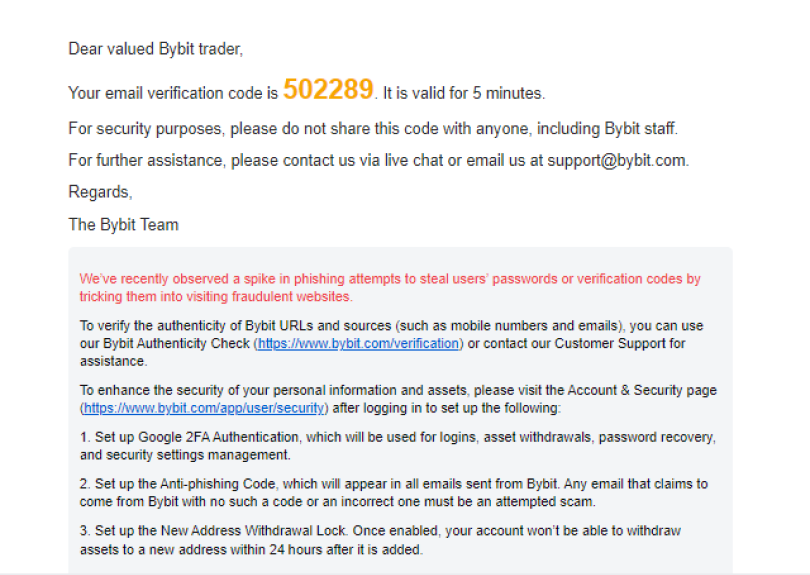
Step 3
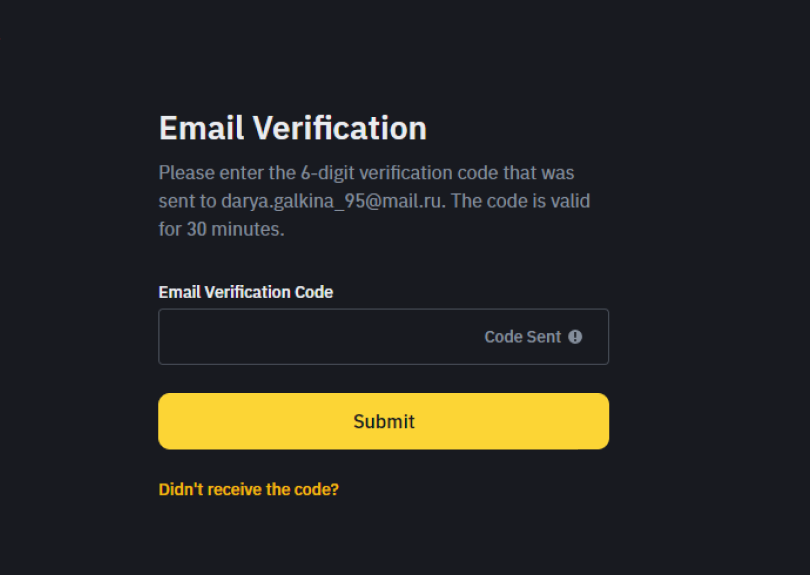
Enter the verification code sent to your email or phone on the Bybit website.
img
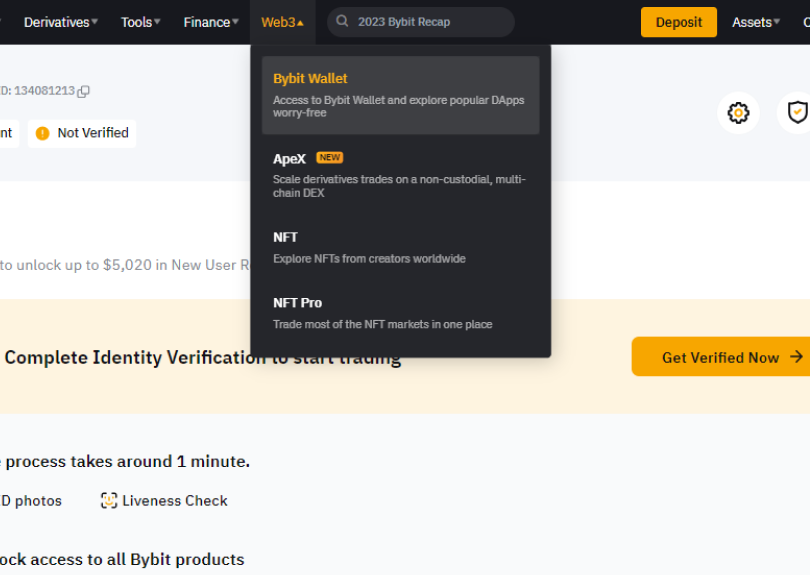
Step 4
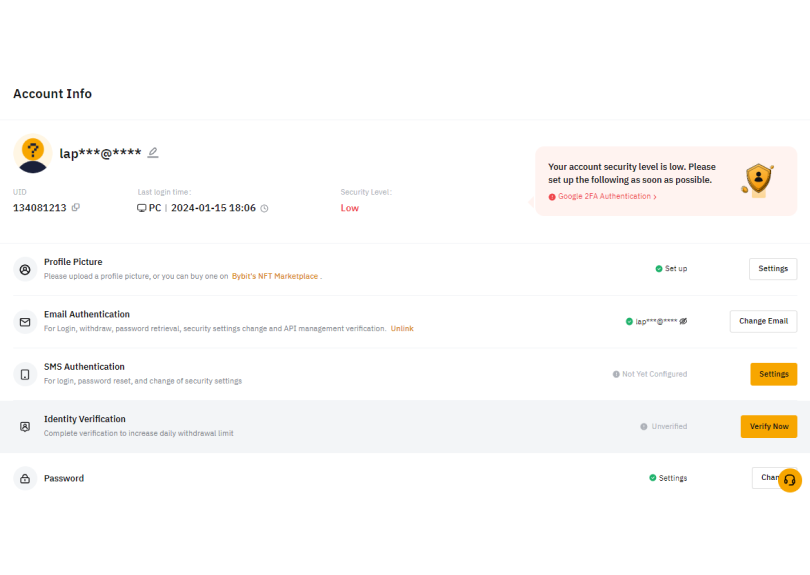
Go to your profile and click “Verify Now” next to “Identity Verification”.
img
Step 5
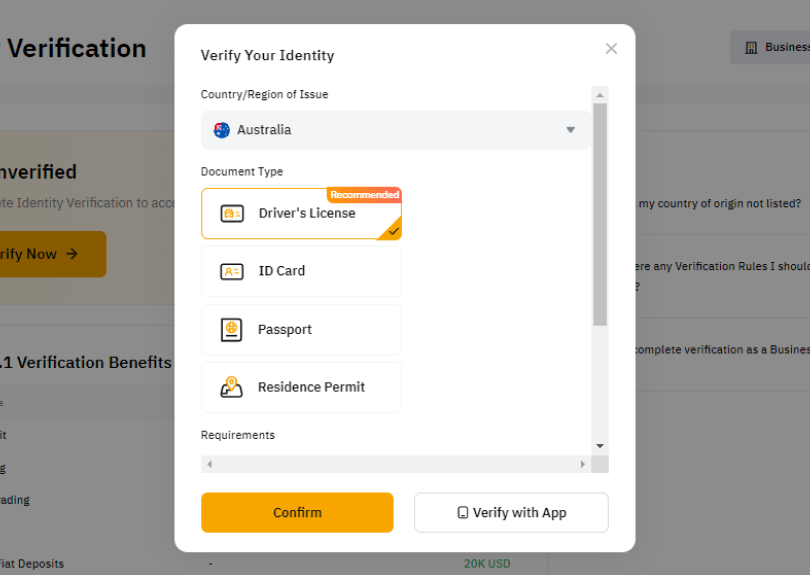
Select your document’s country of issue and type, then upload the document photo and a selfie.
img
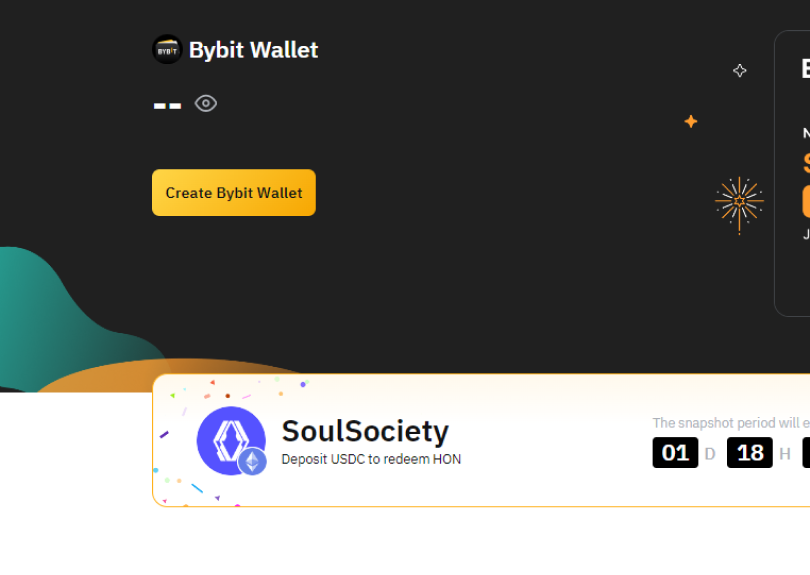
Step 6
Open your Bybit Wallet and go to the “Buy Crypto” section.
img
Step 7
Choose the payment method that suits you best and complete your crypto purchase.
img

Creating a Wallet on KuCoin
Step 1
Visit www.kucoin.com and complete the required registration fields.
img
Step 2
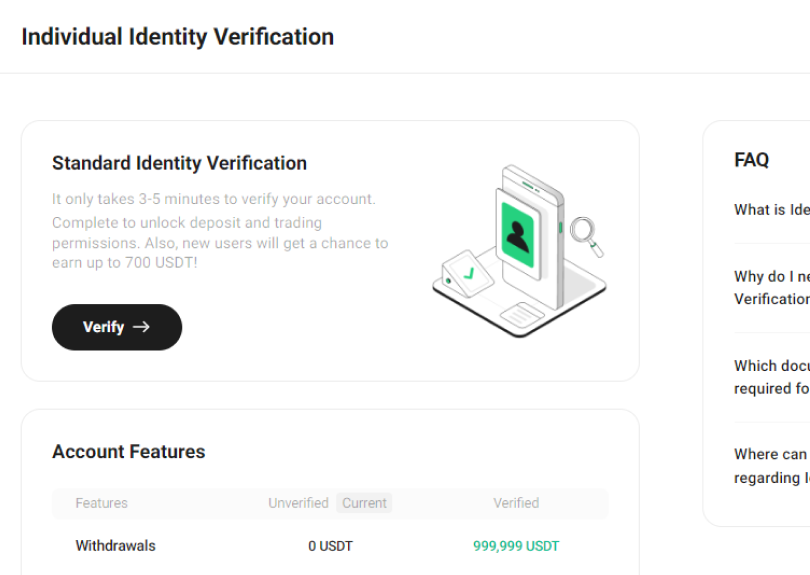
Go to the “Individual Identity Verification” section and click “Verify”.
img
Step 3
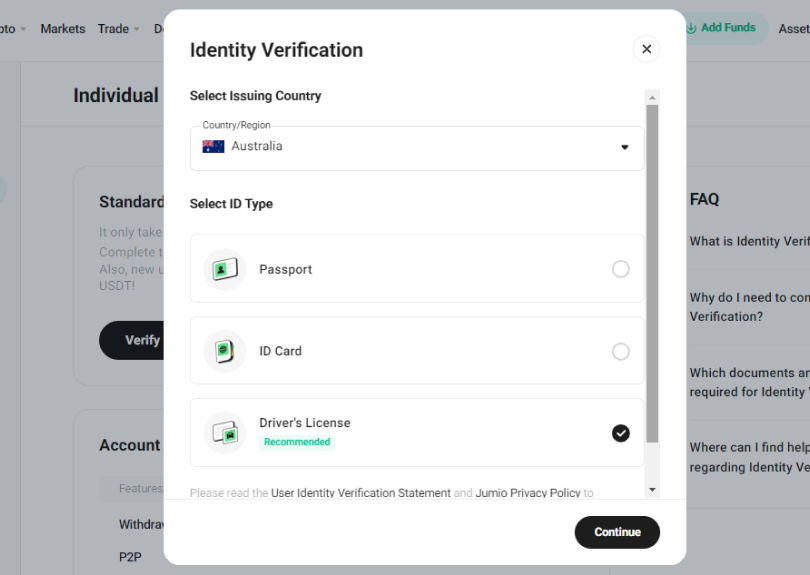
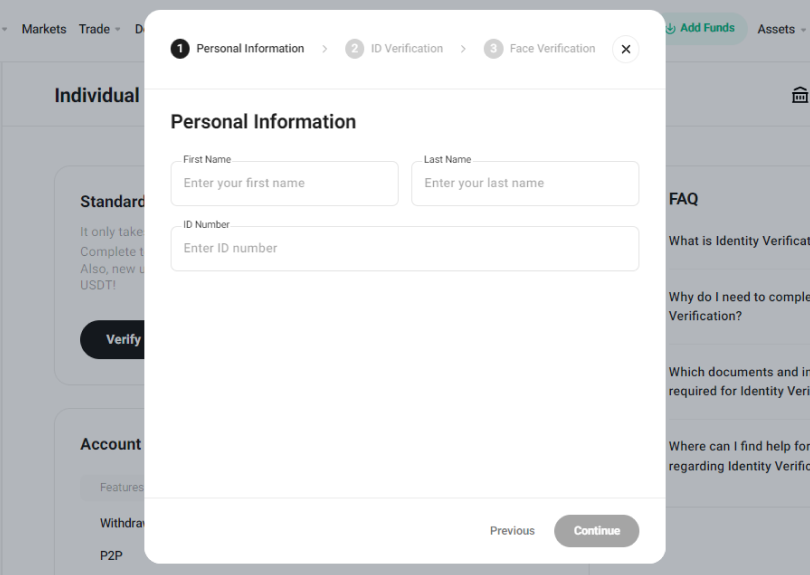
Select your country of residence, document type, and enter the required information.
img
Step 4
Complete the identity verification process.
img
Step 5
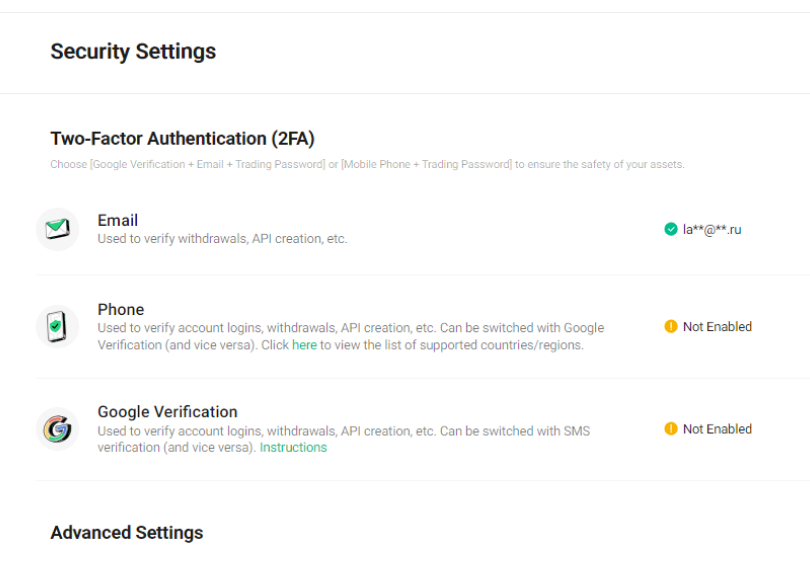
Set up two-factor authentication (2FA) and create a trading password in the “Account Security” section.
img
Step 6
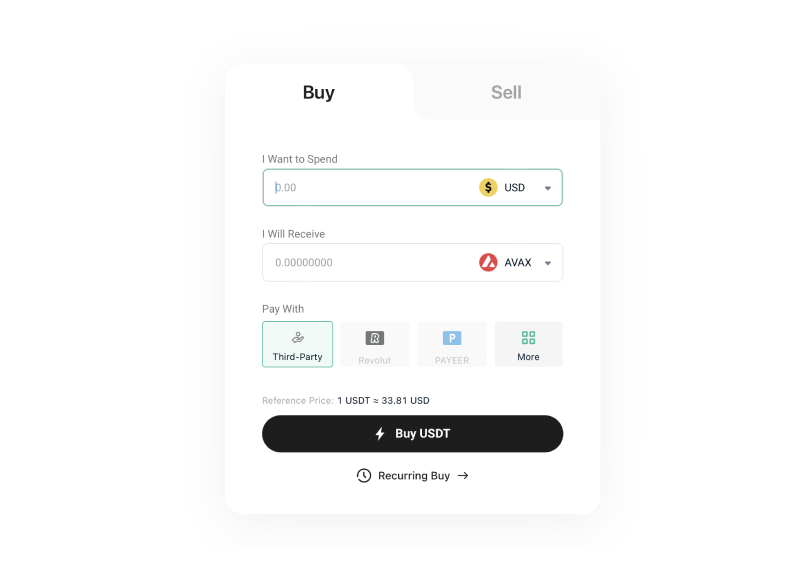
To buy cryptocurrency, go to the “Buy Crypto” section and choose the top-up method that suits you best.
img

Creating a Wallet on Binance
Step 1
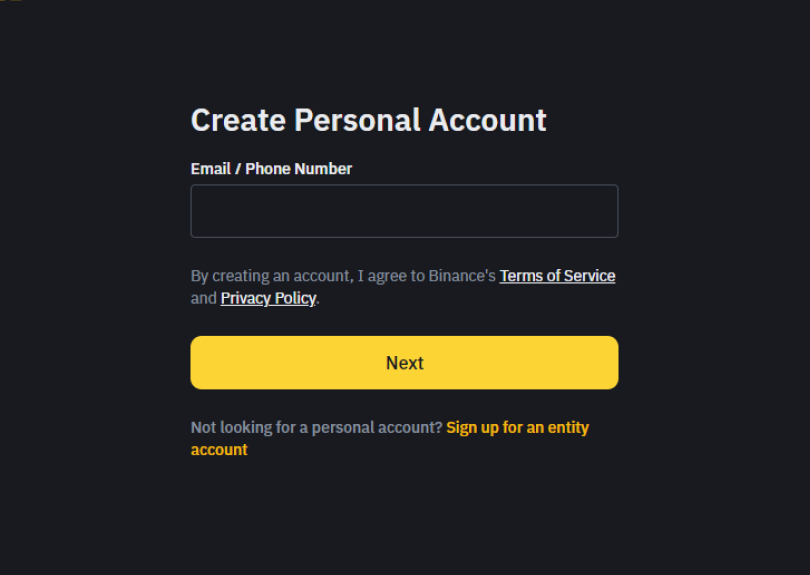
Follow the registration link and click “Sign Up”.
img
Step 2
Enter the verification code sent to your email address on the Binance website.
img
Step 3
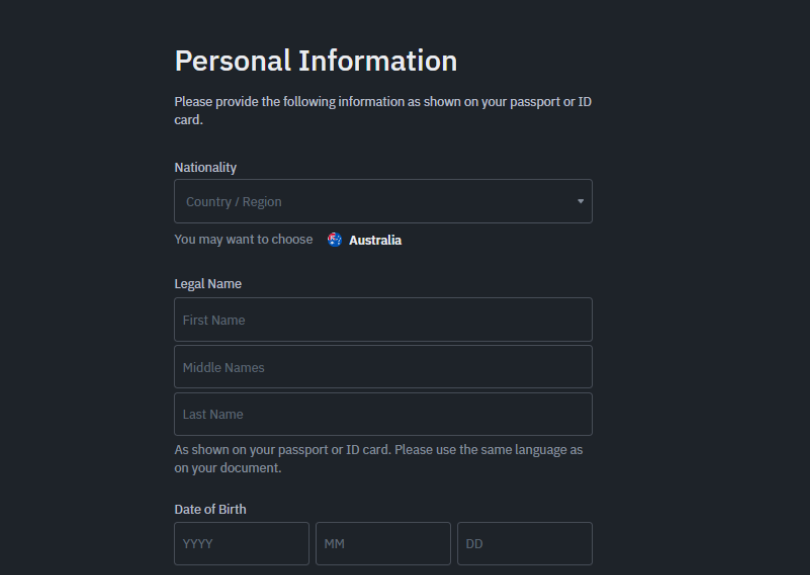
Fill in the required fields, provide your personal information, select your country of residence from the list, and click “Continue”.
img
Step 4
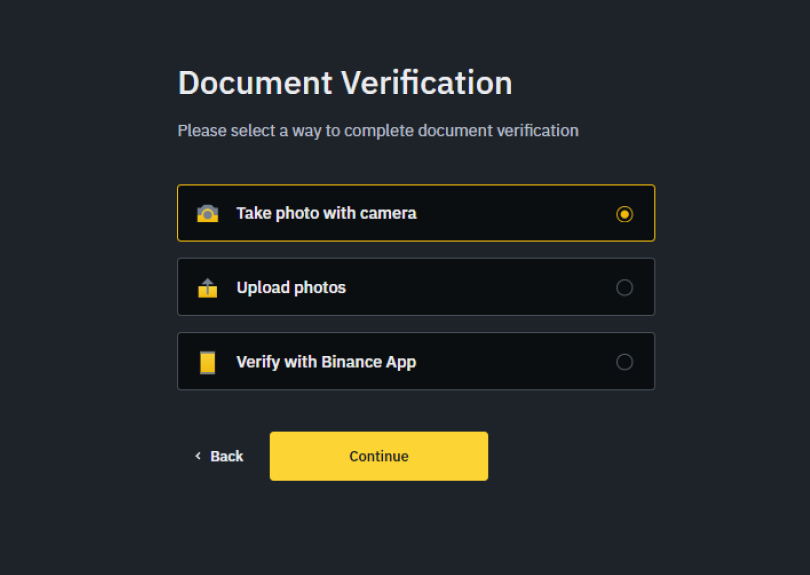
Verify your profile by uploading a photo of your identity document, taking a selfie, and completing facial recognition as prompted.
img
Step 5
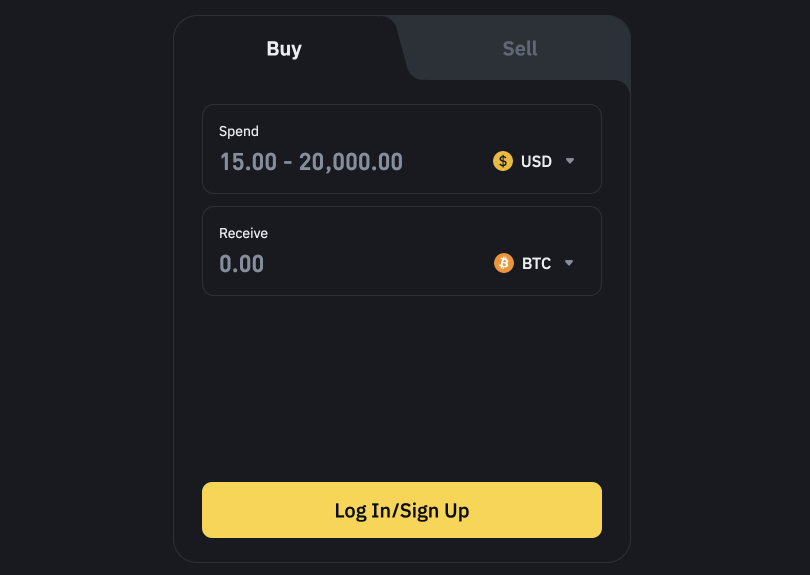
Go to the “Buy Crypto” section and choose a payment method that suits you best.
img
logo
  • Download for iOS
    Download for iOS
  • Download for Android
    Download for Android
  • About Us
  • Сontact Us
  • FAQ
  • Bonuses
  • Self-Exclusion
  • Responsible Gambling Policy
  • Accounts
  • Deposits & Payouts
  • Terms and Conditions
  • Dispute Resolution
  • Fairness & RNG Testing Methods
  • Anti-Money Laundering
  • KYC Policies
  • Privacy, Management of Personal Data and Cookie Policy
  • Affiliates

© 2026 FUGU Casino

widget
Support
wheel
Wheel of Fortune
VIP<br>Club
VIP
Club
Record<br>Wins
Record
Wins
Prize<br>Drops
Prize
Drops
store
Bonus Store
  • Bonuses
  • Promo
  • Casino
    • Slots
    • Instant Games
    • Table
    • Bonus Buy
    • Providers
    • Themes
  • Live Casino
    • Popular Live Games
    • Game Shows
    • VIP Casino
    • Roulette
    • Blackjack
    • Poker
  • Sports
    • Lobby
    • Sports
    • Esports
  • Bring a Friend
  • Support
    • Live Chat
    • Telegram

CONNECT WITH US ON

Download for

  • iOS
    iOS
  • Android
    Android
  • en
    en
  • ru
    ru
  • de
    de
  • fr
    fr